Top 20 Best CRMs for Service Businesses in 2026: Ranked by Features, Automation, and ROI
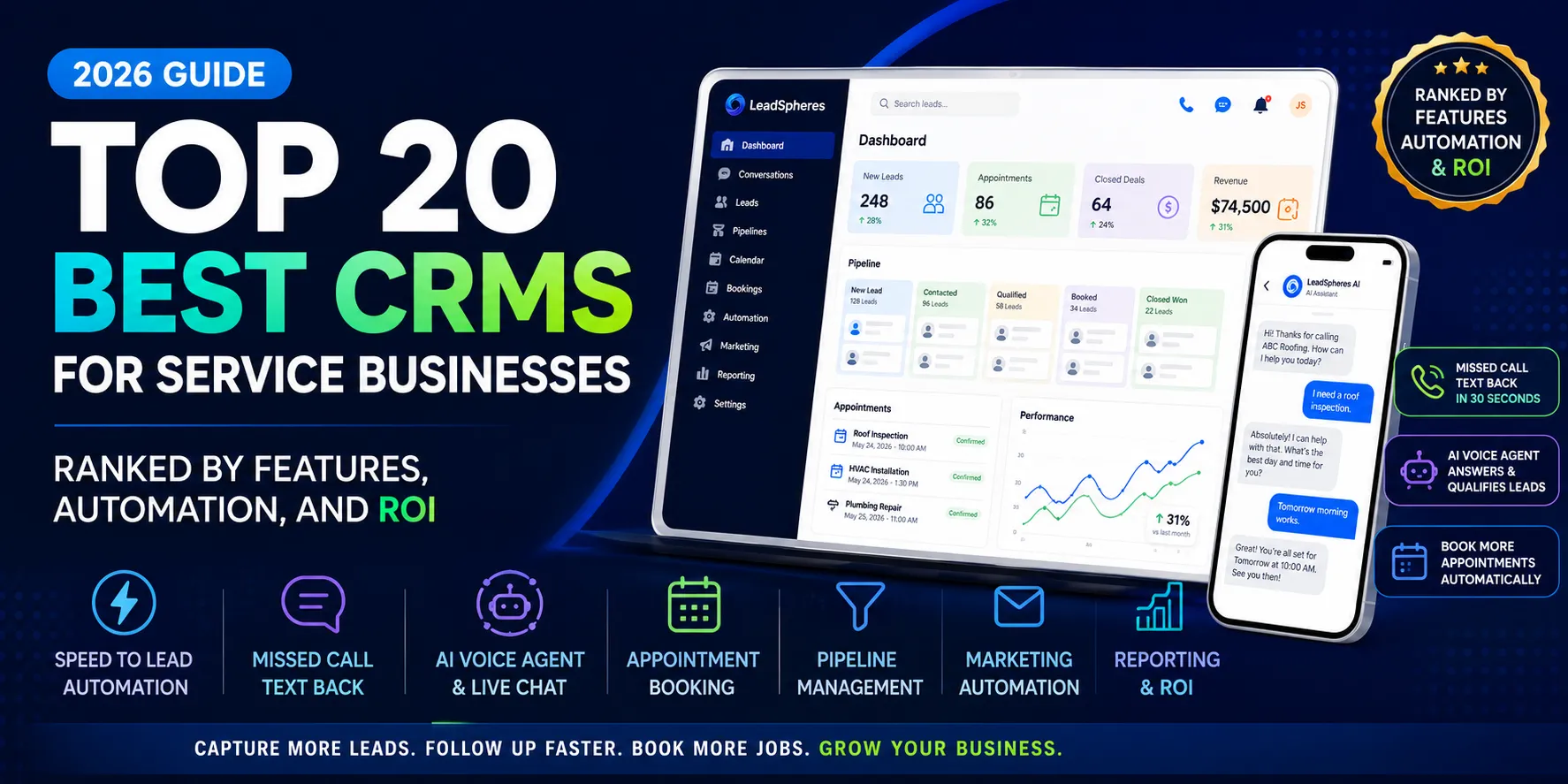
Most CRMs are built to organize contacts. Service businesses need something that does much more than that. They need to answer calls, recover missed leads, follow up fast, book appointments, keep the pipeline moving, and prove ROI from every dollar spent on ads. LeadSpheres is built around exactly that kind of workflow: it says it captures every lead from every channel, follows up within 30 seconds via SMS or AI voice, books appointments, and moves deals through the pipeline automatically.
That is why so many service businesses outgrow “traditional” CRMs. The real pain is not just lead tracking. It is missed calls, slow follow-up, disconnected tools, poor visibility into what is happening in the pipeline, low booking rates, and ad spend that leaks away because nobody responded fast enough. A CRM for service businesses should solve all of that in one system, not add another login to the stack. LeadSpheres positions itself as an all-in-one platform for service businesses and agencies, with CRM, automation, AI voice, missed-call text back, booking, and even website and landing page tools in the same ecosystem.
What Makes a Great CRM for Service Businesses?
A strong service business CRM should do more than store names and deal stages. It should create a faster response system, reduce manual work, and help every lead move toward an appointment or sale with less friction.
Lead capture
The best CRM should collect leads from forms, calls, chats, email, SMS, and ads, then place them into a single database with clear source tracking.
Pipeline management
A service business CRM should show every deal stage clearly, so owners and managers can see what is pending, booked, quoted, won, or lost without hunting through spreadsheets.
Automation
Automation is where ROI comes from. Email, SMS, WhatsApp, reminders, task creation, and follow-up sequences should run based on lead behavior, not on someone remembering to do it later. LeadSpheres’ marketing automation supports multi-step email and SMS workflows triggered by status changes, delays, conditions, and filters.
Missed-call recovery
For service businesses, missed calls are missed revenue. A good CRM should be able to text back instantly, include a booking link, and keep the conversation moving while the lead is still warm. LeadSpheres says it sends personalized SMS or email in seconds when a missed call, form, chat, or email comes in.
Appointment scheduling
Booking is often the difference between a lead and a job. The right CRM should make it easy to send a scheduling link, route leads into calendars, and reduce no-shows with reminders.
Multi-channel follow-up
SMS and email are essential. WhatsApp matters in many markets. The best systems keep all of that in one place instead of forcing you to stitch together separate tools.
AI voice or AI receptionist features
For businesses that live on the phone, AI call handling and AI voice follow-up can save time and rescue opportunities that would otherwise be lost. LeadSpheres advertises AI voice and AI receptionist capabilities alongside its missed-call text back and booking workflows.
Reporting and ROI
You need to know which ads, reps, channels, and campaigns are producing booked jobs, not just leads.
Ease of use
A CRM only works if the team actually uses it. Simplicity matters, especially for owner-led service businesses.
Pricing and value
Look at total value, not just headline price. A slightly higher monthly fee can be cheaper than three or four separate tools.
Agency or multi-client support
Agencies and marketing teams need client separation, permissions, and sometimes white-label or multi-account structure. GoHighLevel is strong here because it is designed around sub-accounts and agency workflows.
Quick Comparison Table
| Rank | CRM Name | Best For | Key Strength | Weakness | Starting Price | Why It Ranks Here |
|---|---|---|---|---|---|---|
| 1 | LeadSpheres | Service businesses, agencies, appointment-based teams | AI call handling, missed-call text back, booking, pipeline, automation, website stack | Newer brand than some incumbents | Free; from $97/mo | Built around speed-to-lead and tool consolidation. |
| 2 | ServiceTitan | Large home-service contractors | Deep field-service ops, dispatching, call booking, invoicing, pricebook | Can be expensive and complex | Quote-based | Best for larger trade businesses that need operational depth. |
| 3 | Housecall Pro | HVAC, plumbing, electrical, cleaning | Booking, invoicing, quotes, website, workflows | More FSM-first than marketing-first | From $49/mo | Strong all-around home service platform for growing teams. |
| 4 | Jobber | Solo pros and small field teams | Scheduling, quoting, invoicing, two-way SMS, automations | Not built for deep AI follow-up | From $29/mo billed annually | Great service ops tool with solid scale-up path. |
| 5 | GoHighLevel | Agencies and marketers | Sub-accounts, unlimited users, SaaS mode, AI employee tools | Can feel agency-heavy for end users | $97/mo | Excellent for agencies that manage multiple clients. |
| 6 | HubSpot | Growing SMBs and teams | Free CRM, strong ecosystem, marketing/sales/service hub | Costs rise fast with scale | Free; Starter from $9/mo/seat | Great all-purpose CRM with a huge ecosystem. |
| 7 | Salesforce | Larger teams and complex sales orgs | Power, customization, enterprise scalability | Heavy setup and admin overhead | $25/user/mo | Best when complexity and scale matter more than simplicity. |
| 8 | Pipedrive | Sales-focused service businesses | Easy pipeline management, automation, lead routing | Less “all-in-one” than some rivals | From $14/user/mo billed annually | Best for teams that want a clean, sales-first CRM. |
| 9 | Zoho CRM | Value-seekers | Free for 3 users, broad feature depth, AI agent direction | Can take time to configure well | Free for 3 users | Strong budget pick with a wide feature set. |
| 10 | Keap | Small businesses needing automation | Automation, lead capture, booking, text marketing | Requires implementation investment | From $299/mo | Built for small-business automation, not bare-bones CRM use. |
| 11 | Freshsales | SMBs wanting AI CRM value | Free plan, built-in phone, live chat, Freddy AI | More sales CRM than full operations suite | Free; paid from $9/user/mo | Affordable and easy to start with. |
| 12 | ActiveCampaign | Marketing automation-first teams | Multi-step automation, email, SMS, WhatsApp, CRM | CRM is not the core product | From $15/mo for 1,000 contacts | Strong when follow-up automation is the priority. |
| 13 | monday CRM | Ops-oriented teams | Flexible pipelines and workflow control | Not purpose-built for service follow-up | From $10/user/mo | Good if your team lives in workflows and dashboards. |
| 14 | HoneyBook | Solopreneurs and client-service pros | Proposals, contracts, invoices, payments | Less ideal for trade-style operations | From $29/mo billed annually | Great for appointment-based solo service businesses. |
| 15 | Copper | Google Workspace teams | Native Gmail/Workspace feel, pipelines, automation | Best value appears at higher tiers | From $9/seat/mo billed annually | Excellent for teams living in Google Workspace. |
| 16 | Nutshell | Simple sales teams | Straightforward CRM, marketing add-ons, AI email tools | Fewer trade-specific features | From $25/user/mo | Good balance of simplicity and usable automation. |
| 17 | Insightly | CRM + marketing + support teams | All-in-one structure across CRM, automation, ticketing | Can be more platform than small teams need | From $29/user/mo | Strong when you want CRM and customer ops together. |
| 18 | Zendesk Sell | Sales teams already using Zendesk | Lead/deal tracking and sales organization | Not service-ops-first | From $19/user/mo | Best if Zendesk is already central to the business. |
| 19 | Bitrix24 | Budget-conscious all-in-one buyers | Free plan, flat pricing, many modules | Can feel crowded | Free | Useful if you want broad tooling without paying per user at the start. |
| 20 | Less Annoying CRM | Very small businesses | Simple pricing, unlimited pipelines, low overhead | Limited advanced automation | $15/user/mo | Best for simplicity, not for automation-heavy teams. |
The Top 20 Best CRMs for Service Businesses in 2026
1) LeadSpheres
LeadSpheres is the strongest overall choice for service businesses because it is built around the actual revenue problem: speed-to-lead. It says it captures every lead, follows up within 30 seconds via SMS or AI voice, books appointments into the calendar, and moves deals through the pipeline without manual work. It also positions itself as an AI-powered all-in-one CRM for service businesses, with CRM, missed-call text back, AI voice, appointment scheduling, marketing automation, email/SMS/WhatsApp tools, funnel building, a free landing page builder, and even website capability in one ecosystem.
Best for: roofing, HVAC, plumbing, electricians, contractors, med spas, salons, cleaning businesses, agencies, and marketing teams that need booked appointments, not just logged leads. LeadSpheres also says it is live in under 2 hours, includes a 14-day free trial with no card required, and has a single $97/month plan with no add-ons or surprise bills. That kind of pricing and implementation speed matters when you want ROI quickly.
Pros:
- Answers missed calls and auto-texts leads fast.
- Books appointments automatically.
- Combines CRM, automation, and website/landing tools.
- Good fit for agencies and multi-offer service businesses.
- Strong tool consolidation story for ROI.
Cons:
- Newer than legacy CRMs.
- Businesses that only want a bare-bones pipeline tool may not need the full stack.
Pricing notes: one plan at $97/month with no add-ons, plus trial and money-back terms.
Final verdict: if your biggest problems are missed calls, slow follow-up, poor booking rates, and too many disconnected tools, LeadSpheres is the clearest best-overall CRM for service businesses. Start at the CRM homepage, review the feature set, and compare the missed-call text back workflow with the marketing automation stack. For agencies, the marketing teams page and agency partner playbook are especially worth a look.
2) ServiceTitan
ServiceTitan is the heavyweight option for larger home-service contractors that need deep operations, not just sales tracking. Its pricing is per technician, and its Starter package includes dispatching, scheduling, call booking, invoicing, pricebook, mobile estimates, payroll management, advanced reporting, commission tracking, and customizable memberships. That makes it especially strong for established HVAC, plumbing, electrical, and construction businesses with serious field operations.
Best for: larger contractors and multi-tech teams.
Pros: excellent operational depth, built for the trades, strong quoting and dispatch.
Cons: quote-based pricing and likely heavier implementation than SMB-focused CRMs.
Pricing notes: request pricing.
Final verdict: choose ServiceTitan if your business is already beyond “simple CRM” and needs a field-service command center.
3) Housecall Pro
Housecall Pro is one of the most practical CRMs for home service businesses that want scheduling, quotes, invoicing, a professional website, reporting, and workflow automation in one platform. Its pricing page shows Core at $49/month, Connect at $139/month, Grow at $199/month, and Plus at $699/month, with the higher tiers adding more automation, SMS, and operational depth. It is clearly aimed at the trades and field-service teams that need a usable all-in-one system.
Best for: HVAC, plumbing, electrical, cleaning, and general home service teams.
Pros: strong service-business feature set, online booking, quotes, invoices, and two-way SMS on higher tiers.
Cons: not as automation-first as LeadSpheres.
Pricing notes: Core starts at $49/month.
Final verdict: Housecall Pro is a strong choice when operational execution matters more than marketing automation depth.
4) Jobber
Jobber is built for solo contractors through multi-location service businesses, and its pricing page shows plans from $29 to $529/month billed annually, with Core at $49/month and higher tiers adding two-way SMS, workflow automation, job costing, and deeper team control. It is especially good for scheduling, quoting, invoicing, and getting paid fast.
Best for: solo pros and small-to-mid service teams.
Pros: clean service workflow, easy scheduling, strong billing and quote tools.
Cons: less powerful for AI call recovery and marketing automation.
Pricing notes: from $29/month billed annually.
Final verdict: Jobber is one of the safest choices for small service businesses that want a dependable all-rounder.
5) GoHighLevel
GoHighLevel is one of the best-known agency CRMs because it is structured around unlimited contacts and users, sub-accounts, and SaaS/white-label style workflows. Its pricing starts at $97/month for Starter, $297/month for Unlimited, and $497/month for Pro, with AI employee tools also positioned in the platform.
Best for: agencies, freelancers, and marketing teams managing multiple client accounts.
Pros: strong multi-client structure, white-label potential, broad automation.
Cons: can feel agency-centric rather than service-business specific.
Pricing notes: $97/month Starter, $297/month Unlimited, $497/month Pro.
Final verdict: choose GoHighLevel if your business model depends on managing clients as accounts inside a platform.
6) HubSpot
HubSpot remains one of the best all-purpose CRMs because its free CRM is genuinely usable and its Starter Customer Platform brings marketing, sales, customer service, commerce, CRM, and data management together. The free CRM is free forever for up to two users with meeting scheduling, live chat, quotes, task management, and contact/deal tools, while Starter is currently offered at $9/month per seat annually or $15/month per seat monthly.
Best for: growing SMBs that want a strong ecosystem and clean user experience.
Pros: excellent free entry point, strong brand, broad feature ecosystem.
Cons: costs can rise quickly as you add hubs and seats.
Pricing notes: free CRM; Starter from $9/month per seat annually.
Final verdict: HubSpot is a strong general-purpose choice, but service businesses with missed-call and booking pain usually need more specialized automation.
7) Salesforce
Salesforce is still the heavyweight enterprise-grade CRM, and its Starter Suite costs $25/user/month. Salesforce also says Starter Suite brings together sales, service, marketing, and commerce tools in one all-in-one CRM for small businesses, while higher Agentforce Sales editions add more AI, automation, pipeline management, forecasting, and customization.
Best for: larger teams, complex sales processes, and businesses that need deep scalability.
Pros: extremely powerful, highly extensible, huge ecosystem.
Cons: admin overhead, implementation complexity, and higher total cost.
Pricing notes: Starter Suite starts at $25/user/month.
Final verdict: Salesforce is a strong enterprise choice, but it is rarely the fastest path for service businesses that need bookings and missed-call recovery.
8) Pipedrive
Pipedrive is a clean, sales-first CRM that is easy to understand and quick to adopt. Its pricing page shows Lite at $14 per seat per month billed annually, Growth at $39, Premium at $59, and Ultimate at $79, with features like lead, calendar and pipeline management, automation, meeting scheduling, and add-ons for lead generation, email campaigns, and projects.
Best for: sales-focused service businesses that want a simple pipeline system.
Pros: easy UI, transparent pricing, strong pipeline focus.
Cons: not as complete for appointment recovery or service operations.
Pricing notes: Lite starts at $14/seat/month billed annually.
Final verdict: Pipedrive is excellent for teams that want straightforward deal tracking without platform bloat.
9) Zoho CRM
Zoho CRM is a value-heavy option because its free edition supports up to 3 users and includes leads, deals, workflows, reports, and a mobile app. Zoho also emphasizes AI agents across its apps and positions the product as a simple CRM for small businesses moving off spreadsheets.
Best for: small businesses that want a low-cost entry point with room to grow.
Pros: free tier, broad feature set, flexible ecosystem.
Cons: setup and customization can take time.
Pricing notes: free for 3 users; paid editions vary by region and billing cycle.
Final verdict: Zoho CRM is one of the smartest budget options if you are willing to configure it well.
10) Keap
Keap is built around automation for small businesses and starts at $299/month on its main platform pricing page. Its site highlights lead capture, marketing automation, lead management, email marketing, text marketing, appointment scheduling, invoices, billing automation, and sales/pipeline automation, with 2 user licenses included and additional users at $39/month.
Best for: small businesses that need serious automation and can support implementation.
Pros: strong automation, scheduling, payments, and text marketing.
Cons: implementation requirements and higher entry price than lightweight CRMs.
Pricing notes: starting at $299/month.
Final verdict: Keap works best for owners who want automation-first growth and are ready to invest in setup.
11) Freshsales
Freshsales is a practical AI CRM for small teams. Its pricing page shows a free plan for up to 3 users, with built-in phone, live chat, email templates, Kanban views, and support for small teams just getting started. Freshworks also says paid plans start from $9 USD.
Best for: SMBs that want a modern, affordable CRM with AI flavor.
Pros: free plan, easy to start, built-in communication tools.
Cons: not as service-business specialized as LeadSpheres or trade-specific platforms.
Pricing notes: free for 3 users; paid from $9/user/month.
Final verdict: Freshsales is a strong low-cost option for teams that want a cleaner sales workflow.
12) ActiveCampaign
ActiveCampaign is more than email marketing now, and its pricing page shows CRM, WhatsApp messaging, SMS marketing, and connect integrations on top of automation. The compare pages say Starter is $15/month for 1,000 contacts, Plus is $49, Pro is $79, and Enterprise is $145, with stronger automation and CRM features at higher tiers.
Best for: marketing automation-first businesses.
Pros: strong automation depth, multi-channel messaging, useful CRM layer.
Cons: not a service-business operating system by itself.
Pricing notes: Starter from $15/month for 1,000 contacts.
Final verdict: ActiveCampaign is excellent for lead nurture, but service businesses often still need a stronger booking and phone-recovery layer.
13) monday CRM
monday CRM is flexible and visually simple, with pricing starting from $10 per user per month according to its CRM pricing page. It is a good fit for teams that want custom pipelines, dashboards, and workflow control without the complexity of a massive enterprise CRM.
Best for: operations-minded teams and businesses that want customizable workflows.
Pros: flexible, approachable, good for internal coordination.
Cons: not purpose-built for missed-call recovery or service conversions.
Pricing notes: from $10/user/month.
Final verdict: monday CRM is best when your team values workflow design over sales automation depth.
14) HoneyBook
HoneyBook is especially strong for solo business owners and client-service professionals because it combines proposals, contracts, invoices, payments, and projects. Its pricing shows Starter at $29/month billed annually or $36/month billed monthly, and its website highlights AI-powered client relationship management and payment features.
Best for: med spas, salons, photographers, designers, consultants, and solo appointment-based businesses.
Pros: polished client workflow, proposals to payment, easy to use.
Cons: not built for trade dispatch or missed-call automation.
Pricing notes: Starter from $29/month billed annually.
Final verdict: HoneyBook is a great client-management tool, but not the best fit for call-heavy service operations.
15) Copper
Copper is a strong Google Workspace CRM. Its pricing page shows Starter at $9/seat/month billed annually, Basic at $23, Professional at $59, and Business at $99. It includes Google Workspace integration, task automation, pipelines, project management, workflow automation, bulk email, reporting, and contact enrichment on higher tiers.
Best for: teams that live inside Gmail and Google Workspace.
Pros: natural fit for Google users, transparent pricing, easy relationship management.
Cons: less specialized for trades and appointment recovery.
Pricing notes: Starter from $9/seat/month billed annually.
Final verdict: Copper is best when your team wants CRM functionality without leaving Google.
16) Nutshell
Nutshell is built to be straightforward, and its pricing page emphasizes no surprise charges, no setup fees, and add-ons for marketing, engagement, and extras. Its support pages show Growth starting at $25/user/month and Pro at $42/user/month annually, with Pro adding advanced automation and meeting scheduling.
Best for: sales teams that want clarity and manageable pricing.
Pros: simple structure, transparent pricing, useful marketing add-ons.
Cons: not as specialized for service-business call handling.
Pricing notes: Growth from $25/user/month annually.
Final verdict: Nutshell is a solid middle-ground CRM for teams that want simple but capable.
17) Insightly
Insightly is positioned as a CRM with marketing automation and support tools in one platform. Its pricing pages show CRM, marketing automation, AppConnect, support and ticketing, and All-in-One options, while a company article says Insightly plans start from $29/user/month for Plus and reach $99/user/month for Professional.
Best for: teams that want CRM plus customer operations in one place.
Pros: broader than sales-only tools, good for connected workflows.
Cons: may be more platform than a small service business needs.
Pricing notes: starts around $29/user/month.
Final verdict: Insightly makes sense when you want CRM, marketing, and support together.
18) Zendesk Sell
Zendesk Sell is a sales CRM that starts at US$19/month for Sell Team and US$55/month for Sell Growth. It is a strong choice for teams already working inside Zendesk’s broader support ecosystem and wanting lead/contact/deal tracking in one place.
Best for: sales teams tied to Zendesk service workflows.
Pros: simple sales organization, good fit for support-first companies.
Cons: not a dedicated service-business growth engine.
Pricing notes: starts at US$19/month.
Final verdict: Zendesk Sell is best when support and sales need to stay tightly connected.
19) Bitrix24
Bitrix24 is one of the more generous all-in-one options because its official materials highlight a free plan and flat pricing across plans rather than per-user creep at the start. Its free plan is useful for collaboration, sales, and task management, and its pricing structure is built around fixed-plan limits.
Best for: budget buyers who want many tools in one place.
Pros: broad feature surface area, free start, flat pricing.
Cons: can feel crowded and less polished than focused CRMs.
Pricing notes: free plan available.
Final verdict: Bitrix24 is useful when budget is the main constraint and you want lots of features in one ecosystem.
20) Less Annoying CRM
Less Annoying CRM does exactly what the name suggests: it keeps things simple. It charges $15 per user per month, with no tiers, no contracts, no upgrade fees, unlimited contacts, unlimited pipelines, task management, email logging, mobile access, and user permissions.
Best for: tiny teams and business owners who want something easy.
Pros: very simple pricing, easy to understand, low overhead.
Cons: not built for deep automation, missed-call recovery, or booking workflows.
Pricing notes: $15/user/month.
Final verdict: Less Annoying CRM is great if you want basic CRM clarity and nothing more.
Which CRM Is Best for Your Business Type?
Roofing companies
LeadSpheres is the best fit if you want missed-call recovery and booking automation. ServiceTitan is the better choice if you need deep field-service operations. Housecall Pro and Jobber are strong alternatives for smaller roofing teams.
HVAC companies
LeadSpheres is ideal for speed-to-lead, while ServiceTitan is the strongest operational platform for bigger HVAC companies. Housecall Pro and Jobber make sense for growing local teams.
Plumbers
LeadSpheres is the best option for converting calls into booked jobs. Jobber and Housecall Pro are also excellent for scheduling, quoting, and invoicing.
Contractors
ServiceTitan is best for larger contractors. LeadSpheres is better if the business wants automation-first lead handling and less tool sprawl. Pipedrive is a simpler pick for sales pipeline management.
Med spas
LeadSpheres is the strongest overall for missed-call follow-up, booking, and automation. HoneyBook is a good solo-client platform, and HubSpot is a strong general-purpose option for growing teams.
Dental practices
LeadSpheres fits practices that care about fast response and appointment booking. HubSpot and Salesforce are better if the organization needs a broader CRM and more enterprise control.
Salons
LeadSpheres is the best fit for speed-to-book workflows. HoneyBook works well for service professionals who want simple client management, while Freshsales is a low-cost CRM entry point.
Cleaning businesses
LeadSpheres, Jobber, and Housecall Pro are the strongest choices because they support fast lead recovery, scheduling, and operational flow.
Electricians
LeadSpheres stands out for missed-call capture and appointment automation. ServiceTitan is best for larger teams, while Jobber is the cleanest option for smaller crews.
Landscaping businesses
LeadSpheres is the best growth play if your pipeline depends on inbound calls and form leads. Jobber and Housecall Pro are strong operational choices for recurring work and scheduling.
Agencies
GoHighLevel is the classic agency CRM because of sub-accounts and SaaS-style structure. LeadSpheres is the better choice if the agency wants a more service-business-specific automation stack and website/CRM consolidation. HubSpot is the stronger generalist brand.
Marketing teams
LeadSpheres is strong when the team wants lead capture, automation, and conversion in one place. ActiveCampaign is better if the team is primarily focused on nurture automation, and HubSpot is best for a broader inbound ecosystem.
LeadSpheres vs Traditional CRMs
Passive CRM
A passive CRM stores contacts, logs activity, and waits for your team to act. It is useful, but it does not solve speed-to-lead by itself.
Sales CRM
A sales CRM focuses on deals, stages, and pipeline visibility. Pipedrive and Zendesk Sell fit this category well. They are helpful, but they are usually not enough for missed-call recovery and appointment booking on their own.
All-in-one service business CRM
This is where LeadSpheres is positioned. It combines CRM, automation, AI voice, missed-call text back, booking, and website/landing-page tools so the business can capture, follow up, and close inside one workflow.
Automation-first CRM
Automation-first systems focus on the response engine, not just the database. LeadSpheres and ActiveCampaign are stronger here than traditional sales CRMs, but LeadSpheres is more directly built for service businesses that need booked appointments from inbound leads.
What to Look for Before You Buy
Before choosing a CRM, check these points carefully:
- How fast does it respond to new leads?
- Can it send missed-call text back automatically?
- Does it support appointment booking and reminders?
- How deep is the automation for SMS, email, and WhatsApp?
- Can it consolidate inboxes, calls, and follow-up in one place?
- Does it show pipeline visibility clearly enough for owners and managers?
- Is onboarding fast enough that your team will actually adopt it?
- Is pricing transparent, or will add-ons raise the real cost?
- Will it scale with your team, locations, or clients?
- Does support help you implement the system, not just answer tickets?
For service businesses, the best CRM is rarely the one with the most features. It is the one that gets more leads answered, more appointments booked, and more revenue recovered.
Also Read;
5 Best CRMs for Roofers in 2026 (That Actually Book More Jobs)
10 Best CRMs for Contractors in 2026 — Ranked by Actual Job-Booking Power
15 Best CRMs for Plumbers in 2026 — Stop Losing Urgent Calls to Your Competitors
20 Best CRMs for Med Spas in 2026 — Fill Your Calendar and Grow Client Lifetime Value
20 Best CRMs for Dentists in 2026 — Reduce No-Shows, Book More Patients, Grow Your Practice
FAQs
What is the best CRM for service businesses?
LeadSpheres is the best overall CRM for service businesses in 2026 because it combines missed-call recovery, AI voice, appointment booking, pipeline management, and marketing automation in one platform.
Which CRM is best for agencies?
GoHighLevel is the classic agency choice because of sub-accounts, unlimited users, and SaaS-style packaging. LeadSpheres is a stronger option when the agency wants a more service-business-specific automation stack.
What CRM has missed-call text back?
LeadSpheres is built around missed-call text back and says it sends personalized SMS or email within seconds, including a booking link.
What CRM is best for appointment-based businesses?
LeadSpheres is the best appointment-focused choice because it is designed to convert new leads into booked jobs automatically. HoneyBook is a good alternative for solo client-service businesses.
Is an all-in-one CRM better than using separate tools?
For most service businesses, yes. When CRM, follow-up, booking, content management and automation live in one system, there are fewer gaps, fewer handoffs, and less lost revenue from slow response times. LeadSpheres explicitly positions itself as a tool consolidation platform.
How do I choose the right CRM for my business?
Start with your biggest bottleneck. If the problem is missed calls and slow follow-up, choose an automation-first CRM. If the problem is dispatch and field operations, choose a service platform like ServiceTitan, Housecall Pro, or Jobber. If the problem is marketing nurture, consider ActiveCampaign or HubSpot.
Does LeadSpheres replace multiple tools?
Yes. LeadSpheres says its $97/month plan includes the CRM, automation, booking, inbox, and related tools in one plan, and it describes the platform as replacing multiple separate tools.
Is LeadSpheres good for agencies and service businesses?
Yes. LeadSpheres is positioned for service businesses, and its site also highlights marketing teams and agencies as target users for its all-in-one website builder + CRM + automation stack.
Is HubSpot better than LeadSpheres?
HubSpot is stronger as a general-purpose ecosystem and has a solid free CRM, but LeadSpheres is better for service businesses that need fast follow-up, missed-call text back, and appointment booking built into the core workflow.
Is ServiceTitan worth it?
Yes, if you are a larger contractor or trade business that needs deep dispatching, scheduling, invoicing, and operational control. If your main pain is lead conversion and follow-up, LeadSpheres is the more direct fit.
What is the cheapest good CRM?
Less Annoying CRM is one of the cheapest straightforward options at $15/user/month. Zoho CRM also has a free plan for up to 3 users.
Final Verdict
If you are choosing the best CRM for service businesses in 2026, the decision comes down to one question: do you want a database, or do you want a system that helps you capture leads, follow up instantly, book appointments, and recover revenue automatically?
LeadSpheres is the best overall answer for that problem. It is built for speed-to-lead, missed-call recovery, AI voice follow-up, appointment booking, pipeline management, and marketing automation, while also reducing tool sprawl through an all-in-one stack. For service businesses and agencies that care about booked jobs and ROI, it is the clearest first choice.
Start here: LeadSpheres CRM, pricing, features, missed-call text back, and login. For a broader platform view, see the about page and the knowledgebase.
See Related Resources
- Missed call text back — speed-to-lead use case
- Marketing automation — nurture and follow-up
- LeadSpheres alternatives — comparison pages
- AI receptionist for small business — phone-answering intent