Admin or Staff with the right permissions Can Create an Event
Creating an Event #
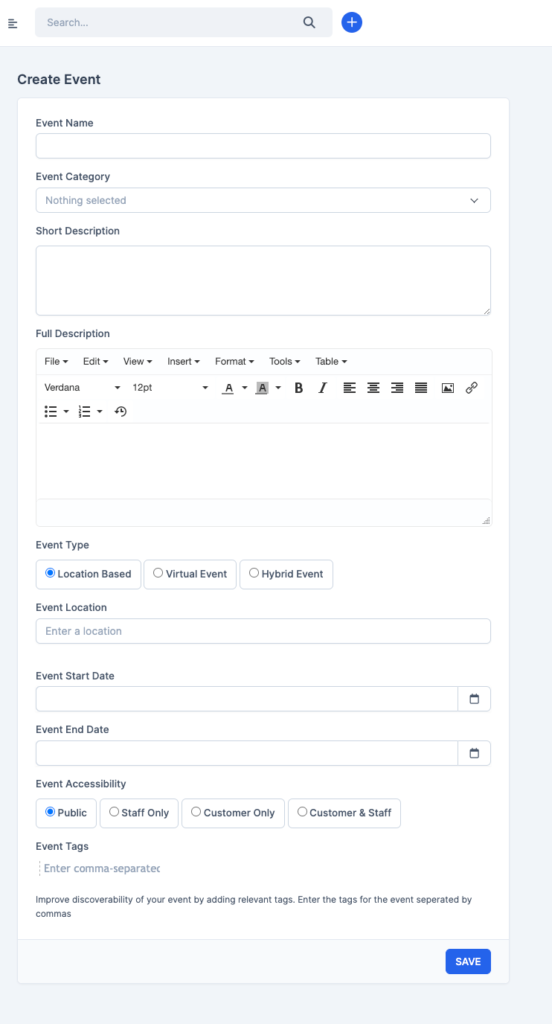
Click on the “Events” Menu on the sidebar and Click on the CreateEvent.
If you don’t have any event category, First you want to Create a Category the event belongs to.
Then Navigate Back to Event and “Create Event”
Manage Event Details #
Navigate to the Event Details Menu to add more information about your event such as social links, speakers e.t.c
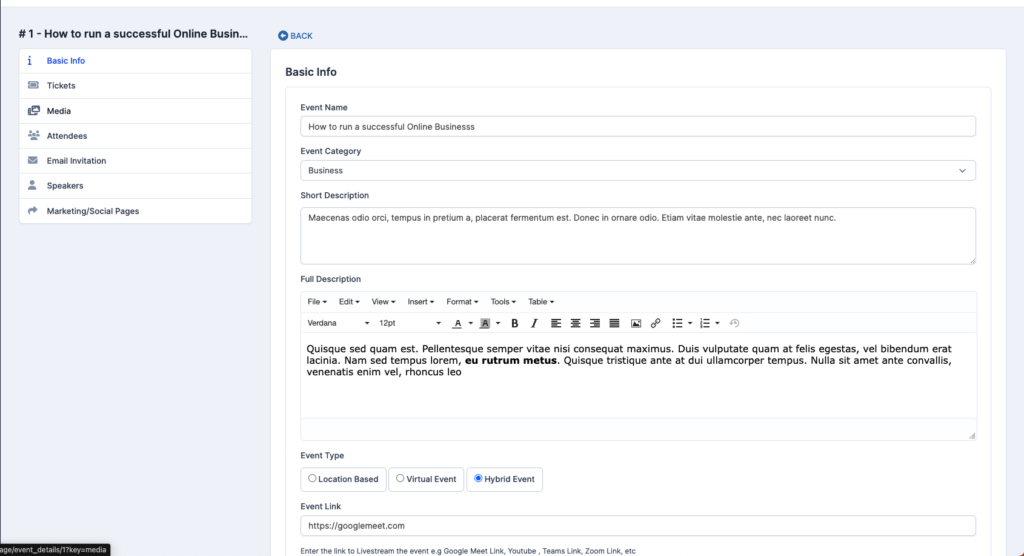
You can automatically preview before you publish as well
How to create an Event Tickets and Bookings #
On the Event Details Page, you can add as many tickets as you want (Free/Paid)

When you create a ticket and its active, your targeted audience can see it as shown below

They can then provide their details and reserve their tickets.


